
How to Optimize Your Airbnb Listing for Higher Rankings and More Bookings in 2026

Contents
Table of Contents
Airbnb's search algorithm weighs a stack of operational signals, calendar health, pricing competitiveness, and other factors, not just listing copy.
Getting any one of those wrong can suppress your placement even if everything else looks clean.
On Airbnb, instant book status and price competitiveness relative to comparable listings carry outsized weight in 2026.
Main Factors That Can Help Optimize Your Airbnb Ranking
These are the most important factors that can help you optimize your Airbnb listing faster:
Search Visibility Vs. Conversion Rate
Ranking higher gets you impressions. Converting those impressions into bookings is a separate problem, and it's where most hosts leave money on the table.
A listing that receives 1,000 monthly views at a 1.2% conversion rate books 12 stays. Push that conversion rate to 1.8% without changing your traffic at all, and you're booking 18 stays, a 50% revenue increase from the same search position.
That gap closes through photo quality, accurate pricing, review count, and listing completeness, not through ranking tactics alone.
The Signals Hosts Can Actually Control
Airbnb hasn't published an official ranking breakdown, so any source claiming exact algorithmic weights is guessing. What's documented through host dashboards and Airbnb's own support pages points to these controllable inputs:
Response rate and response time: Airbnb targets a 90%+ response rate within 24 hours; dropping below that threshold visibly affects placement
Cancellation rate: Even one host-initiated cancellation in a 12-month window triggers a ranking penalty
Review score: Listings below 4.7 stars see reduced search exposure on competitive dates
Price competitiveness: Listings priced more than 15% above comparable properties on the same dates see lower search placement, regardless of review score.
Fix Your Listing Fundamentals First
Airbnb's search algorithm weights listing completeness as a ranking signal, and incomplete profiles lose filtered search placement before any pricing strategy gets a chance to work. Bad fundamentals suppress every later effort to improve visibility or conversion.
The assets most hosts leave half-done: cover photo, room mix, bed configuration, sleeping capacity, amenity tags, and neighborhood accuracy.
City-specific regulations and permit requirements are a separate topic entirely. Compliance requirements vary significantly by market and are covered in detail in the city rule guides.
Write a Title That Filters for the Right Guest
The formula that consistently outperforms vague luxury language: capacity + proximity to demand driver + one functional amenity.
"2BR Near Convention Center With Free Parking" beats "Stunning Modern Retreat" because it answers the three questions a business traveler types into the search bar.
Lead with location when your proximity to a landmark, airport, or venue is the primary booking reason.
Lead with capacity when you're targeting groups.
Lead with amenity when the feature is rare in your market (dedicated workspace, EV charger, pool).
Complete Every Field Guests Use to Screen You Out
Missing fields don't just look incomplete. They actively remove your listing from filtered searches. The fields with the highest filtering impact:
Parking availability and type (covered, street, garage)
Air conditioning and washer/dryer (among the top filters applied by guests year-round)
Pet policy, child-friendly setup, and crib/high chair availability
Workspace details, including a dedicated desk and monitor
Accessibility features, step-free entry, and wide doorways
Every unchecked field is a filter you've opted out of.
Photos That Increase Click-through and Booking Intent

Most listing photo advice focuses on lighting and staging. That's not where bookings are won or lost. Guests scan your first five photos to answer one question: Does this place match what I need?
Aesthetics matter less than decision-relevant sequencing.
The First Five Photos Guests Actually Use
Think of your opening five as a conversion set, not a highlight reel. Each photo should answer a specific question a guest is already asking before they scroll further.
Sequencing shifts by property type.
For an urban one-bedroom, lead with the building entrance so guests confirm the neighborhood, then the living space.
For a family home, lead with the exterior so parents can assess yard space and parking.
For a remote cabin, the exterior doubles as an arrival cue; guests need to know what to look for driving down an unmarked road at night.
Photo five is flexible: bathroom for a city apartment, outdoor deck for a cabin, backyard for a family rental. The exception: if your property has a standout feature, a hot tub, a mountain view, a chef's kitchen, move it to position two, not position five, where most mobile guests won't reach it.
Trust Photos That Reduce Pre-booking Questions
Your photos aren't just marketing, they're your first line of defense. Guests use them to pre-qualify your property, checking if the master bedroom has blackout curtains or if there's a Keurig for their 6 AM coffee fix.
It's simple, really. Every single unanswered question in your photo gallery becomes another message you have to answer.
Parking and entryway: A single driveway or garage photo eliminates the most common pre-booking question for non-urban properties.
Stairs and accessibility: Guests traveling with elderly parents or strollers will message you if this isn't shown. One photo ends that friction.
Workspace: A desk with a chair and a visible outlet converts remote workers without a word of copy.
Crib, high chair, or baby gate: Family groups book faster when they can see the setup rather than ask about it.
Pricing and Fees That Help You Rank and Convert
Pricing isn't a separate revenue topic; it's a listing optimization issue. Airbnb's algorithm weighs conversion rate heavily, and your fee structure directly affects whether a guest books or exits.
A listing priced at $150 ADR with a $45 cleaning fee on a 2-night stay shows a total of $345 before tax, a 30% premium over the headline rate that guests notice.
At 75% occupancy with 2.3 average guests, cutting your nightly rate by $10 recovers roughly $2,730 annually.
Cutting your cleaning fee by $15 costs less per booking but removes a larger friction point; the cleaning fee hits the total-price display as a flat, unavoidable line item guests can't rationalize away.
For the exact fee-to-revenue calculation, Mr. Props covers it at the Airbnb Profit Calculator.
Why Total Price Beats Low Base Rate Tricks
Airbnb defaults to total-price display in search. A $99 nightly rate with a $120 cleaning fee looks worse than a $130 rate with a $40 cleaning fee, even though the nightly number is lower.
Guests are no longer fooled by headline rates. Inflated fees create checkout shock, kill conversion, and drag down your click-to-book ratio, which feeds back into search ranking.
Minimum Stays, Gap Nights, and Orphan-night Recovery
Rigid minimum-stay rules create calendar gaps that never fill. A 3-night minimum in a weekend-heavy market leaves midweek blocks empty; those orphan nights suppress occupancy and signal low demand to the algorithm.
Set a 2-night minimum on weekends and drop to 1-night during shoulder seasons to maintain search momentum.
Use gap-night discounts of 15–20% to fill 1-night orphans rather than blocking them.
Avoid length-of-stay settings that create more than 2 consecutive dark nights in your calendar.
The exception: high-demand event markets where 4–5 night minimums during peak weekends protect against underpricing. Outside those windows, flexibility wins.
Availability, Booking Settings, and Response Speed
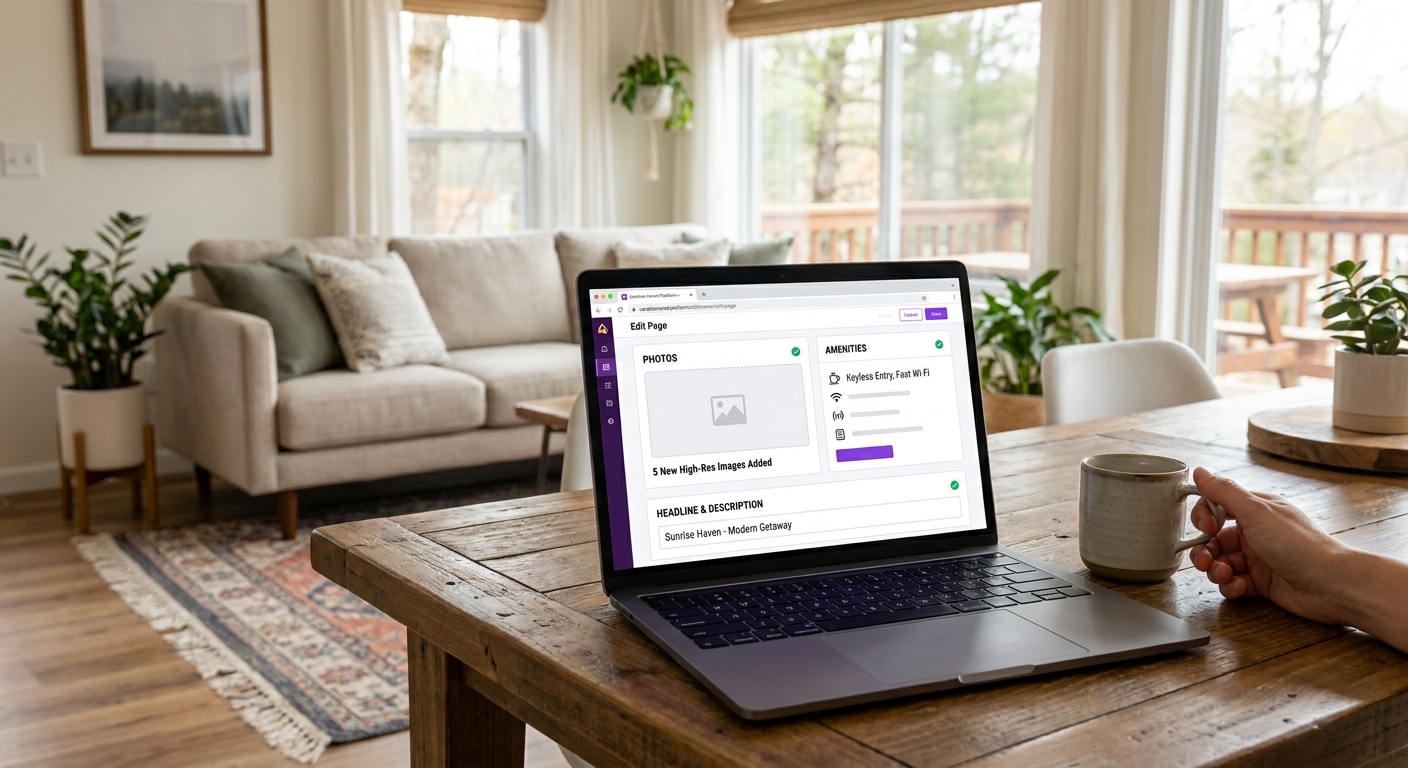
Airbnb's search algorithm weights three availability signals heavily: calendar freshness, response rate, and booking acceptance rate.
Hosts who over-restrict on all three simultaneously can drop 15-25% in search visibility within 30 days, even with strong reviews.
The most common trap: blocking dates around a potential personal stay, then forgetting to unblock them. Those phantom blocks signal low availability to the algorithm and kill fill rate on adjacent nights.
Calendar Hygiene Across Airbnb, Vrbo, and Booking.com
iCal sync runs on a pull schedule every 2-6 hours, depending on the platform. A checkout at 11 am may not reflect as available until mid-afternoon, creating a window where same-day bookers see a false block.
Stale syncs cause two problems simultaneously: ranking suppression from apparent low availability, and overbooking risk when a manual block on one channel doesn't propagate before a booking lands on another.
Unnecessary prep-time buffers compound the issue. A 24-hour buffer on a property with a same-day turnover team costs every same-day booking opportunity, in high-demand urban markets, 8-12% of annual revenue.
Instant Book Trade-offs for Small Operators
Instant Book lifts search ranking directly. Airbnb has confirmed it as a ranking factor. For hosts with 1-3 properties in competitive markets, turning it off is a meaningful occupancy penalty.
The concern about problem guests is overstated. Setting guest requirements, verified ID, positive reviews, no prior negative feedback, filters most edge cases without manual approval on every request. Instant Book plus guest requirements is the right default for most operators.
Stricter manual review makes sense for luxury properties where a single bad stay causes significant damage costs, or listings in markets with active party-house problems. Outside those cases, the occupancy cost of manual approval outweighs the protection it provides.
Response SLA matters independently of Instant Book. A response rate below 90% or a median response time above one hour triggers
Descriptions, House Rules, and Amenity Framing
Guests spend an average of 3 minutes reading a listing before booking or bouncing. Your description needs to answer four questions before they're asked: what's the layout, who is this for, what are the friction points, and what are the rules?
Guests don't read long descriptions first. So open with a two-sentence summary covering the hard facts: sleeping configuration, location, and your single best feature.
A line like, "Sleeps 6 across three bedrooms, just a 10-minute Uber from downtown, with a private pool heated May through September," is infinitely more useful than a whole paragraph on your "inviting atmosphere.
Lead With Layout, Sleeping Setup, and Friction Points
Disclose the hard stuff first. Guests who discover stairs, street noise, or a parking limit after arrival will leave a review about it. Guests who read about it upfront self-select out, which is exactly what you want.
Stairs: note the count and whether there's an alternative entrance
Parking: specify the number of spaces and whether overflow costs extra
Pool heating: state the fee per day or per stay, before the booking, not in the welcome guide
Noise: "shared wall with neighboring unit" or "street-facing bedroom" takes five words and prevents half your noise complaints
Specificity converts better than length. A 400-word description with a clear layout beats an 800-word description that buries the details in paragraph four.
Use House Rules to Reduce Bad-fit Bookings
House rules aren't a legal formality; they're your best conversion filter. A guest who breezes past your strict no-party policy during booking is the same person who will ignore it during their stay.
You have to make your house rules visible and brutally specific to be enforceable, like stating "A $500 fine will be charged for any evidence of smoking indoors." Vague rules just don't work.
Four rules that cut dispute rates when written clearly:
Quiet hours with exact times
Pet policy with size or breed limits, if applicable
Extra guest policy with the per-person fee attached
ID verification expectations, if you require it through a third-party service
Hosts who soften house rules to avoid scaring off bookings get worse guests. A firm, readable rules section costs some volume and saves a disproportionate number of bad-fit stays.
Reviews, Conversion Signals, and Ongoing Listing Maintenance
A listing that earned 4.9 stars in January can slide to 4.6 by April if you stop paying attention. Review velocity matters as much as review score: Airbnb's algorithm weighs recency, so a property with 8 reviews in the last 90 days outranks one with 200 reviews and no recent activity.
Reply to every review within 48 hours. Guests read host responses before booking, and a thoughtful reply to a 3-star review does more conversion work than ignoring a 5-star one. When a legitimate issue surfaces in reviews, slow Wi-Fi, a noisy neighbor, a confusing check-in, fix it, then say so publicly in your reply. That's issue recovery: acknowledge, resolve, document.
Optimization isn't a one-time rewrite. Run this 30-day maintenance cadence:
Update cover photo when seasons change (summer vs. winter staging reads differently to guests)
Verify your amenities list against what's physically in the unit; a missing item causes review damage fast
Check three comparable listings on price every month and adjust your base rate if you're consistently 15%+ above or below
Refresh your title if your demand mix shifts (families replacing couples, for example)
Scan your guest message logs for repeated objections. If three guests in a row asked about parking, your listing description is failing them
The Listing That Books Itself Is the One That Gets the Basics Right
Most hosts chase ranking tactics after the fundamentals are already broken. The sequence matters: fix your listing completeness, get your pricing structure clean, then work on conversion signals like photos and reviews.
Skipping to advanced optimization before those are in order is why most relists don't move the needle.
Airbnb's algorithm isn't looking for perfection. It's looking for consistency.
Mr. Props gives you the tools, templates, and checklists to audit every signal covered in this guide and keep them maintained across every property you manage.
FAQs
How long does it take to see results after optimizing an Airbnb listing?
Most ranking changes reflect within 7–14 days of making updates. Pricing adjustments show faster feedback through impressions; review score improvements take longer because they depend on completed stays.
Does turning on Instant Book actually improve search ranking?
Yes. Airbnb has confirmed Instant Book as a direct ranking factor. For most hosts in competitive markets, leaving it off is a measurable occupancy penalty that outweighs the guest screening benefit.
What's the fastest single change to improve conversion rate?
Resequencing your first five photos. Most hosts lead with the aesthetically strongest shot rather than the most decision-relevant one. Fixing that sequencing typically moves conversion faster than any copy change.
How does Airbnb's algorithm treat listings with older reviews?
Review recency weighs heavily. A listing with 8 reviews in the last 90 days outranks one with 200 reviews and no recent activity on competitive dates. Velocity matters as much as total count.
Should cleaning fees be included in the nightly rate instead?
For stays of 2 nights or fewer, yes. Absorbing the cleaning fee into the nightly rate removes the flat-fee shock from the total price display and typically improves short-stay conversion. For longer stays, a separate cleaning fee is less likely to deter bookings.
Does a single bad review hurt ranking or just conversion?
Both. A review that drops your score below 4.7 triggers reduced search exposure on competitive dates. Below 4.5, the damage compounds. Responding publicly and fixing the underlying issue is the only recovery path.