
Airbnb Guest Screening: The Step-by-Step System Most Hosts Get Wrong
Contents
Table of Contents
The hosts who avoid problem stays aren't running harder background checks, they're asking better questions before the booking ever confirms.
No credit card required · Join 4,200+ Hosts
Step-by-Step Guide to Effective Guest Screening
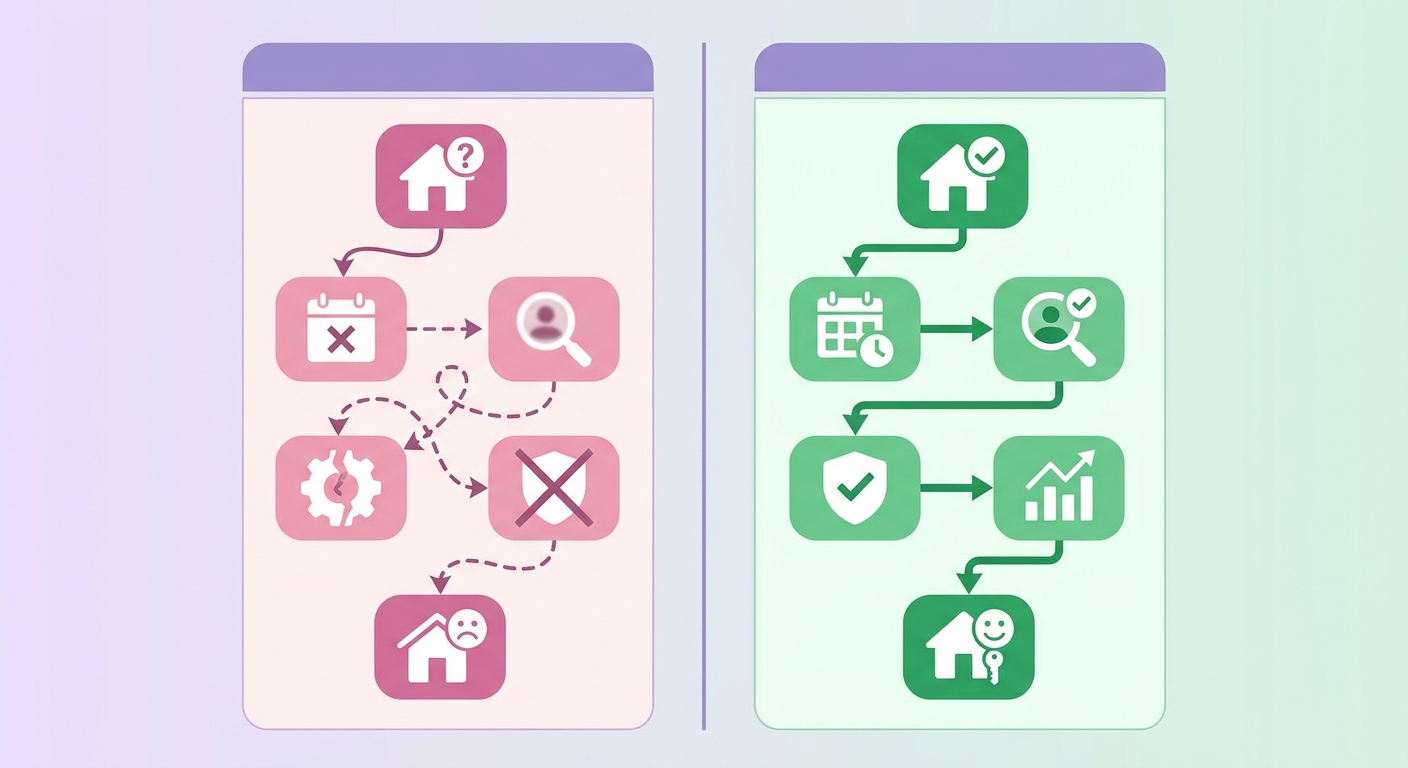
Most airbnb guest screening advice stops at "check their reviews and trust your gut." That's not a system. A real screening process runs before a guest ever sends a booking request and continues through check-in, not because you're suspicious of everyone, but because hosts who avoid serious property damage and party incidents are the ones who've built decision rules they actually follow every time.
These steps work across Airbnb, Vrbo, and Booking.com. It's important to remember, however, that the tools they give you are wildly different, for instance, Vrbo's guest screening options aren't nearly as robust as Airbnb's. We'll call out those key differences where they matter.
Set Your House Rules Before Screening Begins
Screening doesn't start when a guest messages you. It starts with your listing. Your house rules are the first filter, they eliminate guests who self-select out, which is far more efficient than rejecting them after they've already booked.
Rules That Actually Do Filtering Work
Vague rules are useless. A rule like "please be respectful" screens absolutely nobody because it's completely unenforceable. Specific rules, on the other hand, do the heavy lifting for you by setting clear, non-negotiable boundaries like "A $500 fee will be charged for any unregistered overnight guests." The following categories have the biggest impact on guest quality:
- No unregistered guests: State the maximum occupancy and require all guests to be listed at booking. This closes the door on guests planning to host their own gatherings.
- No events or parties: Airbnb's party ban is platform-wide, but your listing rules should repeat it explicitly. Vrbo and Booking.com don't carry the same blanket prohibition.
- Minimum age requirement: On Airbnb, you can require guests to be 25 or older. Hosts in urban markets report a 30–40% drop in suspicious inquiries after enabling this setting.
- Check-in and check-out windows: Defined times signal an operational property. Guests planning to treat the space like a venue often probe for flexibility first.
One limitation worth knowing: Booking.com gives hosts less control over house rule visibility at the search stage, so some filtering that happens pre-inquiry on Airbnb happens post-inquiry there instead.
Reading the Pre-booking Conversation
House rules filter guests passively. The pre-booking conversation is where active screening happens. A guest who asks about check-in flexibility, parking for "a few extra cars," and whether neighbors are close by is telling you something specific.
An inquiry message is data. So is the lack of one. On Airbnb, you've got a full 24 hours to review an Instant Booking and can cancel penalty-free up to three times per calendar year if you're uncomfortable with the guest. Don't just rubber-stamp every booking that comes through; use that window deliberately.
Questions That Reveal Intent
Pay attention to how a guest frames their questions. It's often more telling than what they're actually asking. Good guests ask logistical questions about WiFi speed for their Zoom calls, the nearest grocery store, or where to park. Guests planning to misuse the space, however, focus on your limits by asking about occupancy rules, noise restrictions, or exterior cameras.
Send a short pre-booking message to any inquiry that doesn't include a clear trip purpose:
- What's the purpose of your stay?
- How many guests will be in the party?
- Are you familiar with the house rules, particularly the no-events policy?
Guests with straightforward intentions answer quickly and specifically. Guests who hedge, ignore the questions, or give inconsistent numbers are showing you exactly what kind of stay they're planning.
Profile Completeness as a Screening Signal
No profile photo, no verified ID, and zero prior reviews is the highest-risk profile combination on any platform. On Airbnb, requiring ID verification before accepting a booking removes a significant portion of first-time accounts created specifically for a single event booking.
Vrbo's profile system is thinner than Airbnb's, so hosts there should compensate by asking more directly in pre-booking communication. Booking.com profiles carry even less information by default, which is why post-inquiry screening matters more on that platform.
When Gut Feel and Data Conflict
Trust the data over the gut feeling. A charming, well-written message from a guest with zero reviews and a brand-new account should make you more cautious, not less. Conversely, a terse one-line booking request from a guest with 15 positive reviews and a verified ID is almost always fine. The reviews are the signal. The message style is noise.
Handling Booking Requests That Don't Pass the Check
Don't get trigger-happy with the decline button. Airbnb actively tracks host decline rates, and if your rate creeps above just a few percentage points, it can absolutely tank your search placement. You should decline sparingly and only when the signals are crystal clear. Documentable reasons include:
- No profile photo combined with an account created within the past 30 days
- A request that explicitly conflicts with your house rules
- A previous review from another host mentioning property damage or rule violations
- ID verification not completed when your listing requires it
Vague discomfort doesn't hold up if Airbnb reviews a dispute. Documented rule conflicts do. Keep your house rules specific enough that a booking request can objectively fail them.
What to Do on Vrbo and Booking.com
Vrbo lets you require verified accounts and hold reservation requests for manual review before payment is processed. A 24-hour review window costs you almost nothing in conversion but gives you time to check a guest's history before confirming.
Booking.com is harder to screen on. Most reservations arrive as instant bookings with minimal profile data. The practical workaround is sending a pre-arrival message within an hour of reservation asking guests to confirm headcount and acknowledge your house rules. Non-response before check-in is one of the few reliable risk signals Booking.com gives you.
Building a Screening System That Holds up at Scale
A single-property host can make judgment calls on every booking. A host managing 10 or more units can't do that without burning hours on low-signal decisions.
Standardizing Your Criteria Across Listings
Write down exactly what a passing booking looks like for each property type. A downtown condo has different risk exposure than a rural cabin with a $4,000 hot tub. Your criteria don't need to be identical across listings, but they need to be written down and applied consistently within each listing type.
A simple screening matrix works well: assign each booking a pass/flag/decline rating based on verification status, review history, and rule compliance. Two flags go to manual review. One flag gets a pre-check-in message. No flags gets auto-confirmed.
Using Property Management Software to Filter Early
Most property management systems include guest screening integrations that run background checks automatically on new reservations. The better ones pull criminal record data, sex offender registry checks, and watchlist matches without requiring manual triggers. At roughly $3 to $8 per reservation, this is one of the lowest-cost risk controls available to STR operators.
These checks only work on guests who provide accurate identity information. A guest using a shared account won't trigger an accurate result. That's why platform-level ID verification and third-party background checks aren't redundant, they catch different failure modes.
Documenting Decisions for Dispute Protection
Every decline and every flagged booking should be logged with a timestamp and a reason. If a guest disputes a declined booking or files a complaint, that documentation is the difference between a defensible decision and an expensive arbitration.
A single line noting the date, the flag that triggered review, and the reason for the decision is enough. What matters is that the reasoning connects to a policy rule, not a personal judgment. Hosts who decline bookings inconsistently across similar profiles carry real legal exposure under fair housing principles. Consistent, documented criteria eliminate that exposure before it starts.
What to Document for Every Flagged Booking
- The specific trigger: incomplete profile, no reviews, mismatched ID, unusual booking pattern
- The action taken: approved, declined, or approved with conditions
- The policy rule the decision maps to, written in advance and applied consistently
When to Decline and How to Do It Safely
Decline within the platform's response window. On Airbnb, a pattern of late declines damages your acceptance rate and can trigger listing suppression. A faster, cleaner decline keeps your metrics intact and keeps the calendar open for a better-fit booking.
The decline message should reference the policy, not the guest. "This booking doesn't meet our minimum requirements for verified guests" is defensible. A message that references personal characteristics is not. Keep the language short, factual, and tied to a rule that applies to every guest equally.
Mr. Props flags risky bookings and automates guest vetting across every channel before a reservation is confirmed.
Start Free Trial See How It WorksNo credit card required. Setup takes under 10 minutes.