
What is Blackout Date?
Blackout Date A blackout date is a specific date or range on your listing…
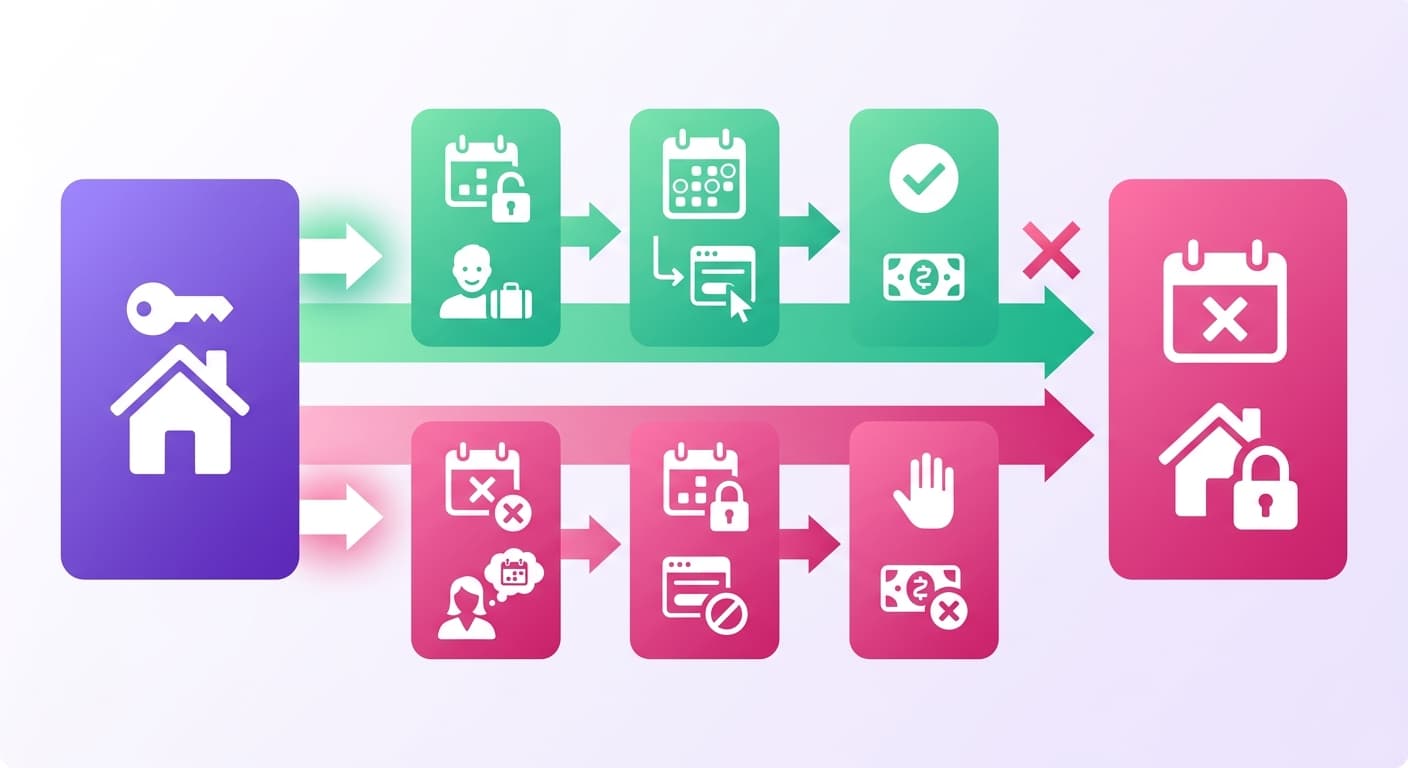
A blackout date is a specific date or range on your listing calendar marked unavailable for guest bookings, regardless of demand or price.
A blocked date isn't just an empty spot on the calendar, it’s a deliberate host decision. You might need it for personal use or deep cleaning.
Or maybe you're holding back inventory for a higher nightly rate when that huge three-day music festival rolls into town. These black out dates give you total control over your property's availability. It's that simple.
The Significance of Blackout Dates
A single mismanaged blocked period costs real money. At $150/night with 75% annual occupancy your listing generates roughly $41,000 per year.
Block 10 nights unnecessarily during peak season and you've written off $1,500 in gross revenue, before accounting for the fact that peak nights often price 40-60% above your base rate.
The damage runs in both directions. Block too little and you're scrambling through a guest turnover while a contractor waits in the driveway. Block too much and your occupancy drops below the threshold where your listing stays competitive in Airbnb's search algorithm.
Blocking the right nights protects your property and your margins. Blocking the wrong ones just shrinks your payout without any operational benefit.
Visual Breakdown: Blackout Dates in Practice
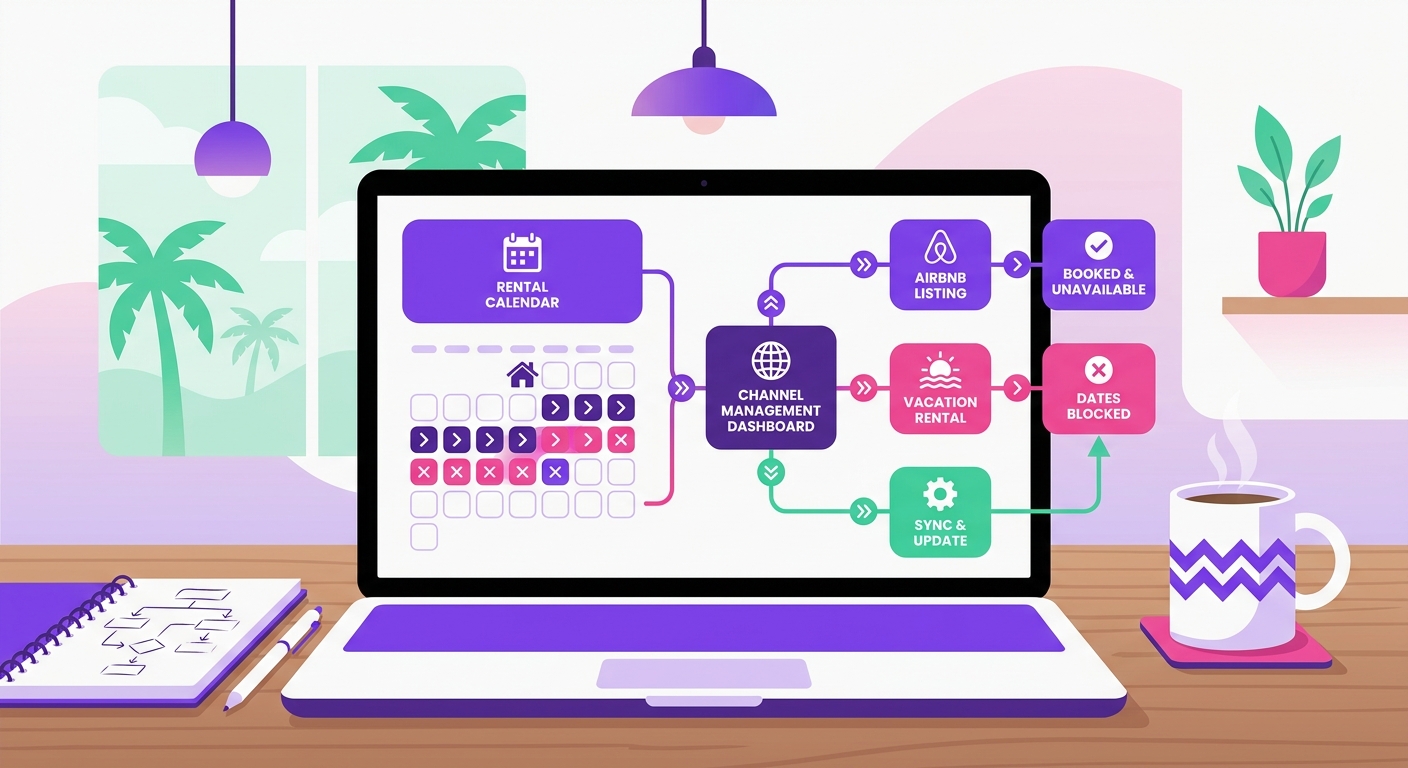
A blocked date removes a night from your available inventory. No booking request gets through, no instant-book fires, and your calendar shows that date as unavailable across every connected channel.
So, what's the damage? Let's use real numbers. Say your listing runs at $185/night with a $55 cleaning fee, and you average a solid 22 booked nights per month.
You have to block four nights in July to finally replace that noisy, 15-year-old HVAC unit. Those four nights represent roughly $740 in gross nightly revenue you're intentionally holding back.
That trade-off is deliberate. Blocking during a necessary maintenance window beats a guest checking in to a broken AC and leaving a 2-star review that costs you 6 weeks of ranking recovery.
When to Use Blocked Dates: Seasonal Guidance
The right time to block your calendar depends on your market, not a generic calendar. A beach property in the Outer Banks has completely different pressure points than a mountain cabin in Colorado.
Block dates when holding them earns you more than booking them. Specific situations where this applies:
Peak season personal use: If your Outer Banks property averages $420/night in July, blocking two weeks for family costs roughly $5,880 in lost revenue. Know that number before you block.
Pre-season maintenance windows: Block 3–5 days before your high season opens. A $200 deep clean and HVAC check prevents a mid-July breakdown that costs far more in refunds.
Local event conflicts: If a major festival drives your nightly rate from $180 to $340, blocking those dates for personal use is an expensive mistake most hosts only make once.
How They Affect Other Metrics

Blocked nights directly impact three numbers you track monthly: occupancy rate, average daily rate (ADR), and revenue per available night (RevPAN).
Every blocked night reduces available inventory.
Block 10 nights in a 30-day month and your occupancy ceiling drops from 100% to 67% before a single guest books. At $175/night with 22 booked nights normally, blocking 10 nights cuts potential gross revenue from $3,850 to $2,450.
Where hosts get tripped up: blocking low-demand nights costs almost nothing. Blocking peak weekend nights where your ADR spikes to $280 is a real revenue decision, not a calendar preference.
RevPAN captures this cleanly.
A listing earning $2,800 across 28 available nights posts a $100 RevPAN. Block 4 nights and RevPAN only improves if remaining nights book at a higher rate, which rarely happens without a pricing adjustment.
Find Your Blackout Dates in Minutes
Mr. Props maps your blocked periods, peak windows, and revenue gaps so you're not leaving $200-plus nights unbooked by accident.
No credit card required. Set up in under 10 minutes.